
I still remember the first time I watched a classroom transform during a Gimkit session. It was about three years ago when I visited a friend who teaches middle school science. Her students—kids who normally struggled to stay focused past the first ten minutes of class—were absolutely locked in, shouting answers, strategizing with teammates, and genuinely upset when the bell rang. That moment sold me on what this platform could do.
Since then, I’ve spent countless hours exploring every corner of Gimkit, both as someone who works with educators and as a curious player myself. The game modes have evolved dramatically, and keeping track of them all has become its own challenge. So let’s break down everything Gimkit offers, from the classic modes that started it all to the newer additions that have students begging for “just five more minutes.”
Understanding What Makes Gimkit Different
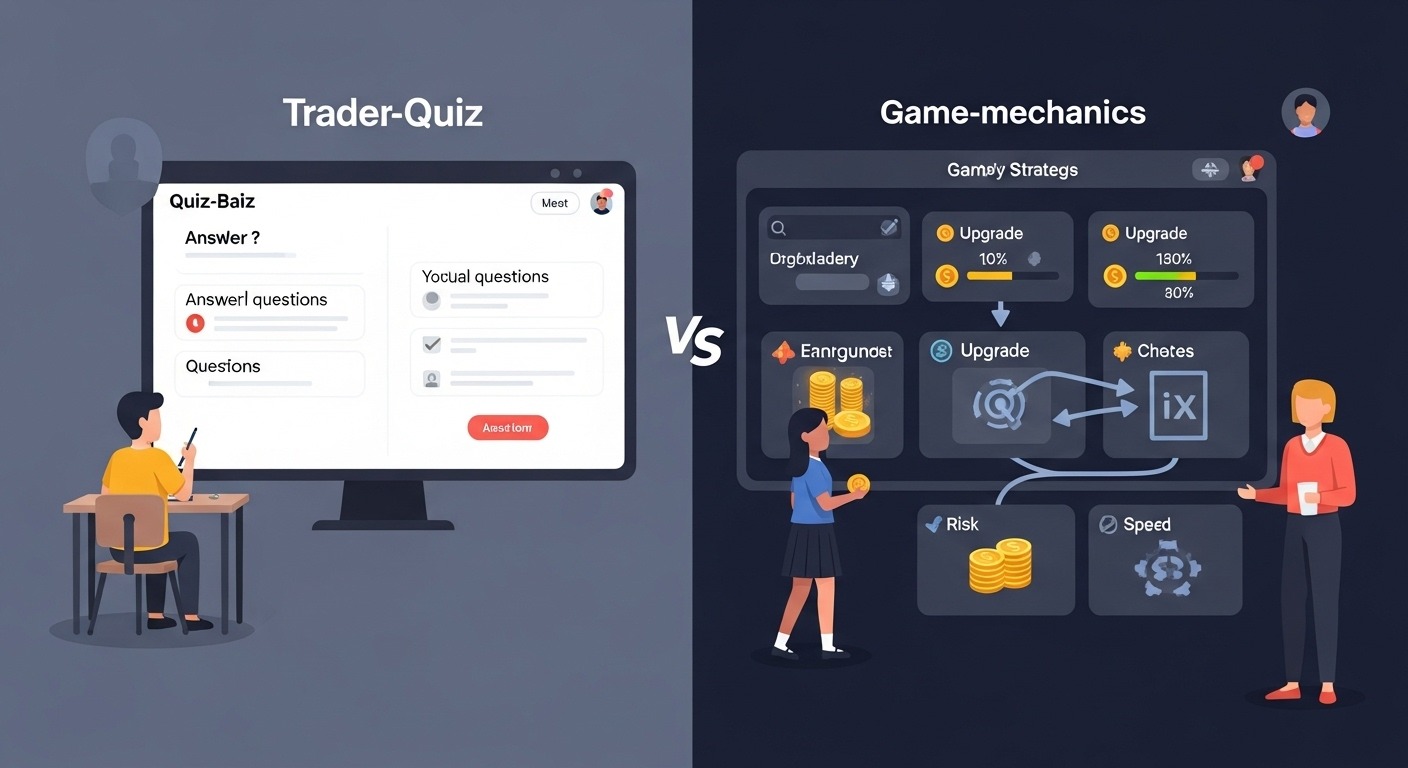
Before diving into the specific modes, it’s worth understanding why Gimkit’s approach matters. Unlike traditional quiz platforms, where you answer questions and move on, Gimkit builds genuine game mechanics around learning. You earn virtual currency, make strategic decisions, and face real consequences for your choices. This isn’t gamification slapped onto a quiz—it’s learning woven into actual gameplay.
The platform was created by a high school student named Josh Feinsilber back in 2017, which partly explains why it feels so different from teacher-designed tools. It was built by someone who understood what actually engages students, not just what adults think should engage them.
Classic Mode: Where It All Began
Classic mode remains the foundation of Gimkit, and honestly, it’s still one of the best options for straightforward review sessions. Players answer questions to earn in-game cash, then spend that money on upgrades that help them earn even more. It’s a simple loop, but incredibly effective.
The upgrade system is what hooks players. You can invest in items like “Money Per Question” to boost your earnings, purchase multipliers, or even buy insurance against wrong answers. This creates a surprising amount of strategy—do you save up for the expensive upgrades or spread your investment across cheaper options?
I’ve watched students develop genuinely sophisticated approaches to Classic mode. Some go all-in on multipliers early, accepting slower initial growth for bigger payoffs later. Others prioritize accuracy bonuses. The fact that there are multiple valid strategies keeps things interesting across repeated plays.
Best for: General review, individual assessment, introducing students to the platform
Time needed: 10-30 minutes typically
Team Mode: Collaboration Changes Everything
Team mode takes the Classic formula and adds a collaborative layer, changing the entire dynamic. Players are divided into groups, and their combined earnings determine the winning team.
What I find fascinating about Team mode is how it shifts classroom behavior. Suddenly, the student who usually rushes through questions has a reason to slow down—their teammates are counting on their accuracy. Meanwhile, students who might normally disengage find themselves pulled in by peer accountability.
The social dynamics get interesting. Teams develop their own strategies, stronger students often help weaker ones (because everyone’s contributions matter), and you see genuine teamwork emerge from what’s ostensibly just answering quiz questions.
One middle school teacher I spoke with uses Team mode specifically when she notices her class becoming too competitive. The collaborative element seems to redirect that competitive energy in healthier directions.
Best for: Building classroom community, mixed-ability groups, and encouraging peer support
Time needed: 15-25 minutes
Trust No One: Among Us Meets Education
This is where Gimkit truly shines. Trust No One is clearly inspired by social deduction games like Among Us, and it works remarkably well in classroom settings.
Players answer questions as usual, but some participants are secretly “impostors.” These impostors can sabotage the game in various ways, and the rest of the players must figure out who’s working against them while still answering questions correctly.
The mode creates incredible classroom moments. Students analyze each other’s behavior, form alliances, make accusations—all while the underlying quiz content reinforces whatever you’re teaching. The social layer is engaging enough that students sometimes don’t realize how many questions they’ve answered.
There are legitimate educational benefits beyond content review, too. Critical thinking, logical reasoning, reading social cues, and persuasive communication—Trust No One exercises all of these skills simultaneously.
Heads up: This mode requires a minimum number of players to work properly (usually at least 4-5), and it can get loud. Plan accordingly.
Best for: Engagement boost, developing critical thinking, and end-of-unit celebrations
Time needed: 15-30 minutes
Fishtopia: When Gimkit Became Something Else Entirely
Fishtopia represents Gimkit’s evolution from a quiz platform to something much more ambitious. It’s essentially a fishing simulation game where answering questions correctly provides resources for catching fish, buying equipment, and building up your fishing operation.
Players cast into different water zones, catch various fish species (each with different values), sell their catch, and upgrade their equipment. The questions appear as you play, integrated into the gameplay loop rather than feeling like interruptions.
This mode divides educators. Some love it because students who normally resist review activities will play Fishtopia enthusiastically. Others feel the game elements overshadow the learning objectives. Both perspectives have merit.
From my observation, Fishtopia works best as an occasional treat rather than a regular instructional tool. Students absolutely love it, engagement is through the roof, but the ratio of questions answered to time spent is lower than in other modes. Use it strategically.
Best for: High-engagement sessions, rewards, reluctant learners
Time needed: 20-45 minutes (students will want longer)
Dig It: Underground Adventure Learning
Dig It takes the adventure game concept in a different direction. Players dig underground, discover treasures, avoid hazards, and—you guessed it—answer questions along the way.
The exploration element adds genuine excitement. You never quite know what you’ll find as you dig deeper. Rare items create those memorable moments that students talk about afterwards. “Remember when Marcus found the diamond?” becomes a shared classroom memory attached to whatever content you were reviewing.
I’ve found Dig It particularly effective for longer review sessions. The progression system—going deeper, finding better items—gives students a sense of accomplishment that sustains engagement over 30+ minute sessions where other modes might see attention fade.
Best for: Extended review sessions, variety seekers, students who enjoy exploration games
Time needed: 20-40 minutes
Snowbrawl: Competitive Winter Mayhem
Snowbrawl adds direct player-versus-player competition to the Gimkit formula. Players throw snowballs at each other, and answering questions correctly provides ammunition and other advantages.
The mode is chaotic, loud, and students absolutely love it. There’s something about the combination of quiz content with the simple satisfaction of hitting classmates with virtual snowballs that just works.
Fair warning: Snowbrawl can get intense. Some students become more focused on the combat than the questions, and classroom management becomes more important than in calmer modes. But for the right group at the right time, it’s fantastic.
Teachers have told me they use Snowbrawl as a Friday reward or end-of-semester celebration. It’s not necessarily optimized for learning outcomes, but student engagement is undeniable.
Best for: High-energy groups, rewards, breaking up routine
Time needed: 10-20 minutes
Tag: Domination Edition
Tag mode brings the classic playground game into Gimkit’s world. Players chase each other, with taggers trying to catch runners. Correct answers provide speed boosts, temporary shields, and other power-ups.
The physical movement metaphor (even though it’s virtual) adds an element that some students find more intuitive than purely economic game mechanics. You’re running, dodging, chasing—actions that feel natural even to students who aren’t typically gamers.
This mode tends to work well with younger students who connect more readily with the simple concept of tag than with investment strategies or resource management.
Best for: Younger students, quick energy bursts, simple gameplay needs
Time needed: 10-20 minutes
The Floor is Lava: Survival Mode
Exactly what it sounds like. Players must avoid the rising lava by answering questions correctly. Wrong answers or slow responses mean getting caught in the lava and facing consequences.
The time pressure element is more intense here than in most other modes. Some students thrive under this pressure; others find it stressful. Know your students before choosing this mode.
That said, when it works, it really works. The survival element creates genuine tension, and the communal experience of watching the lava rise while frantically answering questions can be surprisingly bonding for a class.
Best for: Students who enjoy pressure, quick review sessions, and building urgency
Time needed: 10-20 minutes
Farmchain: Agricultural Economics Meets Learning
Farmchain has players running virtual farms, planting crops, raising animals, and managing resources. Questions integrate into the farming workflow, with correct answers improving your agricultural output.
The mode has a more relaxed pace than combat-oriented options, which some students actually prefer. Not every learner wants high-intensity competition; Farmchain offers a gentler alternative while maintaining engagement.
I’ve seen this mode work particularly well with students who enjoy building and management games. The satisfaction of watching your farm grow provides its own reward beyond just winning.
Best for: Students who prefer building to competing, calm review sessions, variety
Time needed: 20-35 minutes
Don’t Look Down: Height-Based Tension
In Don’t Look Down, players climb upward, with questions keeping them from falling. The height mechanism creates natural tension—the higher you go, the more you have to lose.
This mode gamifies the consequences of wrong answers effectively. Falling from a great height feels more impactful than simply losing points or money, even though the mechanical effect might be similar.
Best for: Creating tension without combat, individual focus, and visual learners
Time needed: 15-25 minutes
Humans vs. Zombies: Apocalyptic Learning
The zombie theme is catnip for many students. In this mode, some players are humans trying to survive, while others are zombies trying to convert them. Correct answers provide resources for survival or infection powers.
The asymmetric gameplay—where different players have different objectives—adds complexity that older students often appreciate. It’s not just about answering questions fastest; your strategy depends on which side you’re on.
Best for: Older students, Halloween season, students who enjoy horror themes
Time needed: 15-30 minutes
Boss Battles: Class vs. Computer
This mode shifts the dynamic entirely. Instead of competing against each other, the whole class works together against a computer-controlled boss. Everyone’s correct answers contribute to defeating the boss, while wrong answers let the boss attack the group.
The cooperative nature makes this mode valuable for building a classroom community. When everyone succeeds or fails together, competition gives way to mutual support.
I’ve watched classrooms transform during Boss Battles. Students who usually work alone start coaching each other. The shared enemy creates camaraderie that carries over into non-gaming activities.
Best for: Community building, cooperative review, classes with unhealthy competition
Time needed: 15-25 minutes
2D Modes: The Adventure Game Evolution
Gimkit’s 2D modes represent the platform’s most ambitious direction. These are essentially adventure games with exploration, quests, and storylines—with questions woven throughout.
Current 2D offerings have included various themed adventures where players move through worlds, interact with elements, complete objectives, and answer questions to progress. These modes blur the line between educational tool and actual video game.
The engagement potential is massive, but so is the time investment. These aren’t quick review activities; they’re substantial gaming experiences. Some educators struggle to justify the time, while others find the deep engagement worth the trade-off.
Best for: Extended sessions, deep engagement, students who love adventure games
Time needed: 30-60+ minutes
Choosing the Right Mode for Your Situation
After spending considerable time with all these options, here’s my honest assessment of when to use what:
For straightforward content review: Classic or Team mode. These modes keep the focus on questions while maintaining engagement.
For maximum engagement regardless of other factors: Trust No One, Snowbrawl, or the adventure modes. Students will beg for more time.
For building classroom community: Boss Battles or Team mode. Cooperation changes social dynamics.
For reluctant learners: Fishtopia, Dig It, or Farmchain. The game mechanics can hook students who resist traditional review.
For quick sessions (under 15 minutes): Classic, Tag, or The Floor is Lava. These work well in short time windows.
For longer sessions: Adventure modes, Farmchain, or Dig It. The progression systems sustain engagement over time.
Practical Considerations and Limitations
No tool is perfect, and Gimkit has legitimate limitations worth acknowledging.
Device requirements: Every student needs a device. In schools without 1:1 technology, this can be challenging.
Internet dependency: Gimkit requires a stable internet. I’ve watched well-planned sessions fall apart due to connectivity issues.
Subscription costs: While there’s a free tier, most teachers will want the paid version for full functionality. The cost is reasonable but still a consideration.
Screen time concerns: In an era of increasing concern about student screen time, adding more device-based activities warrants thoughtful consideration.
Question quality dependency: Gimkit is only as good as the questions you put into it. Poorly designed questions lead to poor learning outcomes regardless of how engaging the game mechanics are.
Noise levels: Many modes get loud. Know your classroom management capabilities and your neighbors’ tolerance.
Creating Effective Gimkit Kits
The game modes are important, but the questions you create—called “Kits”—determine learning outcomes. Some suggestions based on what I’ve seen work:
Balance difficulty. Include some easy questions that build confidence alongside challenging ones that stretch thinking. A kit where students constantly fail isn’t engaging; neither is one that’s too easy.
Use images effectively. Gimkit supports image-based questions. For many subjects, visuals dramatically improve question quality.
Consider question pacing. In fast-paced modes, very long questions become problematic. Match question length to the intended game mode.
Iterate based on data. Gimkit provides analytics showing which questions students struggle with. Use this information to refine both your kits and your instruction.

The Bigger Picture
Gimkit represents something interesting in educational technology—a platform that takes game design seriously rather than treating it as mere decoration on traditional drilling. The variety of modes reflects genuine thoughtfulness about different types of engagement and learning contexts.
That said, it’s a tool, not a solution. The most effective implementations I’ve seen involve teachers who use Gimkit strategically as one component of their instruction, not as a replacement for teaching. The students who learn most aren’t just those who play most; they’re those whose teachers connect the gaming experience to broader learning goals.
Whether you’re exploring Gimkit for the first time or looking to expand how you use a platform you already know, the range of game modes provides remarkable flexibility. From straightforward review to elaborate adventure games, there’s genuinely something for almost every learning context.
The key is matching mode to purpose, staying attentive to how your specific students respond, and remembering that even the most engaging game is ultimately in service of learning. Get that balance right, and Gimkit can be transformative. I’ve seen it happen, and it’s pretty remarkable when it