

For years, I was the teacher who played Gimkit every Friday, watched the leaderboard explode, and then closed my laptop feeling like a rockstar, only to realize on Monday that I had zero clue who actually learned anything. The kids were happy, the room was loud, but my gradebook still looked like it was put together by a raccoon.
Then I figured out how to turn Gimkit into the most ruthless progress-tracking machine I’ve ever used. Not exaggeration: last spring, I caught a sophomore cheating on the final because his Gimkit data was literally too perfect compared to every other assessment all year. That’s how tight the tracking became.
Here’s exactly how I do it now in 2025, step-by-step, no fluff.
Step 1: Stop Caring About the Leaderboard (It Lies)
The kid in first place with $42 million is usually the one who already knew everything and just farmed streaks.
The kid in 18th place with $2.3 million might have started at 40% accuracy and ended at 97%. That’s the real growth story.
Leaderboard = engagement metric.
Reports = learning metric.
Never confuse the two again.
Step 2: The Only Three Reports You Ever Need
After every single game (live or homework), I open these three tabs in order:
- Reports → Questions → “Most Missed” (sorted by % missed)
This tells me exactly which three questions I need to reteach tomorrow. I screenshot it and project it first thing the next day. Kids see “82% missed #7 (ser vs estar – origin)” and instantly remember the pain. Retention skyrockets. - Reports → Students → Accuracy % (sort low to high)
Anyone under 68% gets pulled for a five-minute reteach during warm-up the next day. No judgment, no public shaming, just “Hey, come stand by my desk real quick.” Nine times out of ten, they say, “Oh yeah, that question about preterite car/gar/zar verbs killed me.” - Reports → Students → Cash Earned vs Accuracy scatter plot (Pro only, but worth it)
This is my cheating detector and my gifted kid identifier in one graph.- High cash + low accuracy = lucky spam-clicker or shared answers
- Low cash + high accuracy = quiet kid who refuses to buy power-ups but actually knows everything
I’ve identified three kids who were secretly gifted this way and moved them into honors the following year.
Step 3: The Weekly Progress Dashboard I Built in Google Sheets (Takes 4 Minutes)
I wish Gimkit would just build this, but they haven’t, so here’s my workaround:
- After every Friday review game, I click “Export CSV” (Pro feature, sorry, free users).
- I have a Google Sheet with a tab for each class.
- I made a simple ImportRange formula that pulls in the new data and auto-populates a dashboard with:
- Weekly accuracy trend (line graph)
- Top 5 most-missed concepts of the month
- Individual student accuracy vs class average
- Color coding: green = 85%+, yellow = 70-84%, red = below 70%
Every Monday morning, I open the sheet while drinking coffee. Takes thirty seconds to see exactly who’s falling behind and on exactly which topics. I email parents from this sheet. I write referrals from this sheet. I make seating charts from this sheet.
It is the single most useful document I own.
Step 4: Homework Mode Tracking That Actually Works
I assign one homework kit every Sunday night with these settings:
- Mode: Classic
- Goal: $1,500,000 cash (usually takes 3–4 playthroughs)
- Time limit: none
- Due: Thursday 11:59 p.m. (yes, four days — they need replay time)
Then I look at two numbers on Friday morning:
- Final accuracy on their best attempt
- Number of attempts
A kid who needed 7 attempts to hit $1.5M but finished at 94% accuracy grew more than the kid who one-shotted it at 89%.
I have an entire column in my gradebook called “Gimkit Growth Score” that’s literally (final accuracy × attempts). Higher score = more learning struggle = more celebration.
Step 5: The Monthly One-on-One Check-In That Changed Everything
Once a month, I pull up each kid’s full Gimkit history (Pro keeps every game forever) and have them sit next to me for three minutes.
I show them their accuracy trend line and ask one question:
“What do you notice?”
I’ve had juniors cry because they saw themselves go from 51% in September to 89% in March.
I’ve had kids say, “I hate that I always miss subjunctive triggers,” and then voluntarily make flashcards that night.
I’ve caught three cases of clinical anxiety because a kid’s accuracy tanked right when their parents split up.
Three minutes per kid, once a month, using data they can’t argue with. Best relationship-building tool I’ve ever found.
The Hard Truth About Limitations
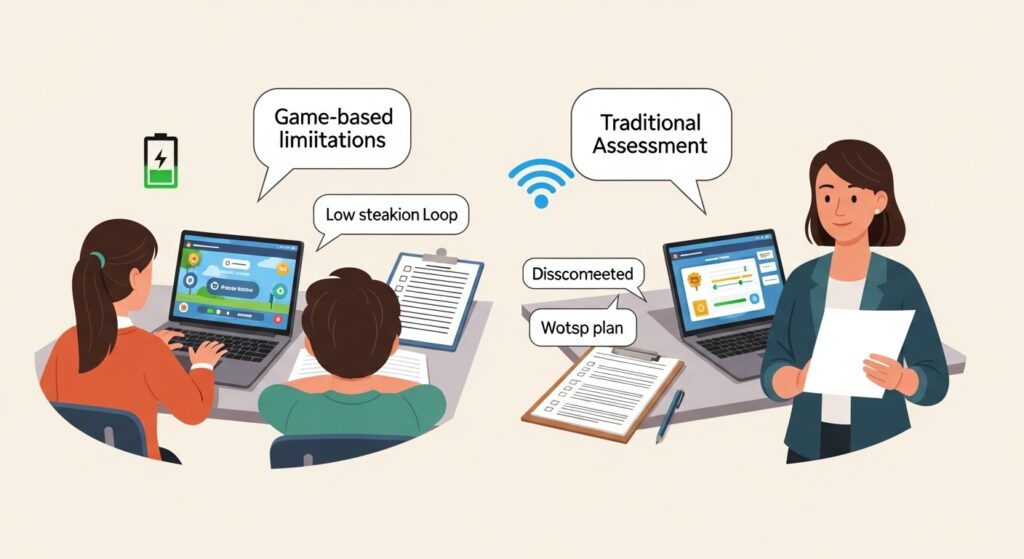
Gimkit will never replace a unit test. It’s phenomenal for retrieval practice and fluency, terrible for writing, speaking, or deep analysis. I still give traditional assessments, but now they’re colder because kids have had 400–600 low-stakes reps before they ever see the high-stakes version.
Also: internet goes down, Chromebooks die, kids forget to charge, life happens. I always have a paper backup plan.
Final Numbers From My Classroom Last Year
Spanish 2 final exam average (multiple choice section only):
- Students who completed 90%+ of Gimkit homework: 94.3%
- Students who completed 50–89%: 81.2%
- Students who completed less than 50%: 64.7%
That’s not engagement data. That’s learning data.
If you’re still closing Gimkit and saying “Well, that was fun” without ever opening the reports, you’re throwing away the most powerful progress-tracking tool in your room.
Open the reports tomorrow.
Look at the “Most Missed” list.
Fix the top three things next week.
Watch what happens to your kids by Thanksgiving.
I did, and I’ll never teach another way.